
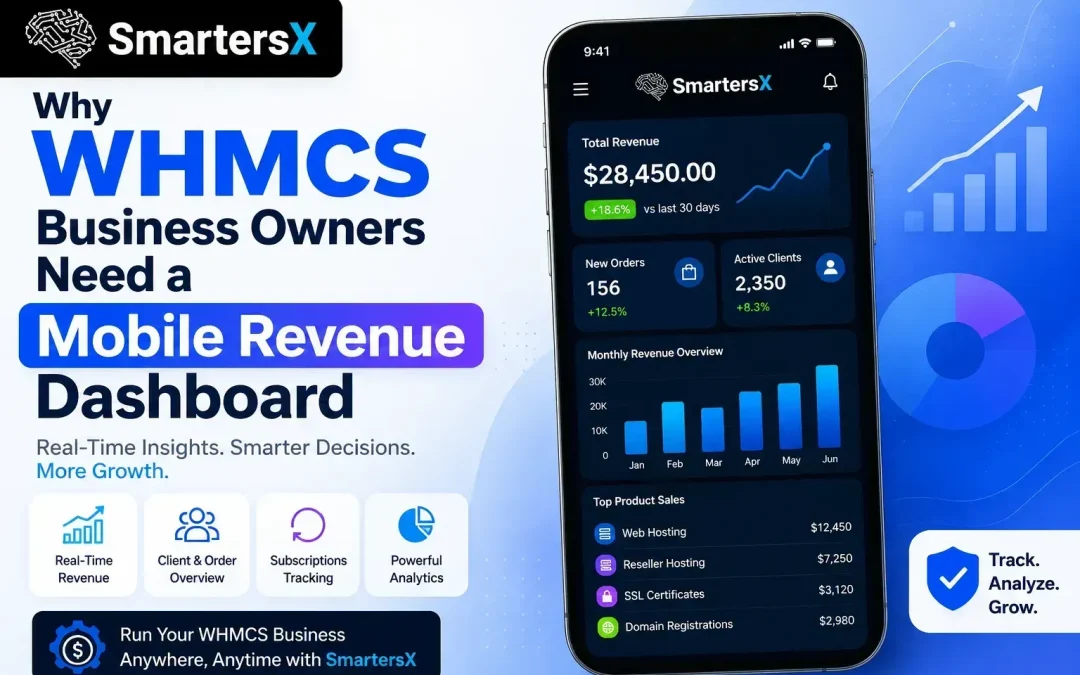
Running a hosting or domain reselling business means your day rarely happens at a desk. You're on a call with a client, walking into a vendor meeting, or fixing a server issue from your phone and somewhere in between, you still need to know how the business is performing. WHMCS handles the heavy lifting behind the scenes billing, provisioning, invoicing, support but its admin panel was clearly designed for someone sitting in front of a monitor, not someone checking numbers between tasks. WHMCS still powers over 35,000 active hosting businesses worldwide and holds close to 80% of the hosting-billing software market, making it the industry default. Yet even reviewers who rate it highly point out the same weak spot year after year: reporting is functional, not insightful and almost none of it is built for mobile. That gap is exactly why more WHMCS business owners are now turning to mobile revenue dashboards.
What Is a Mobile Revenue Dashboard?
A mobile revenue dashboard is a simplified, real-time view of your business's key numbers revenue, new signups, overdue invoices, churn, refunds designed to be checked on a phone in seconds, not minutes. Instead of logging into the full WHMCS admin area and digging through menus, you open an app or a mobile-optimized page and see exactly where your business stands right now. Think of it as the difference between reading a full financial report and glancing at a speedometer. Both tell you something true, but only one is useful while you're moving.
Why the Standard WHMCS Admin Panel Falls Short on Mobile
Built for Desktop, Not for Life
WHMCS's admin interface was designed years ago around desktop workflows. On a phone browser, tables get cramped, charts don't resize properly, and simple tasks like checking today's revenue require several taps through unoptimized menus.
Data Without Context
WHMCS reports raw numbers well invoices, transactions, tickets but it doesn't naturally answer the question owners actually ask: "Is today better or worse than usual?" Without that context, glancing at your dashboard between meetings turns into a five-minute investigation.
Why Mobile Access Actually Matters for Revenue
- Business owners are mobile-first now. Roughly 85% of small business owners already use their smartphones regularly for business tasks, and mobile devices account for around 64% of global web traffic in 2026.
- Speed affects decisions. If a payment gateway fails or a spike in refunds hits your store, catching it within minutes not hours limits the damage.
- Hosting businesses run 24/7. Servers don't care what time it is, and neither do customer sign-ups. A desktop-only dashboard means blind spots every evening and weekend.
- India's hosting and IT services sector is growing fast, and many resellers and small hosting providers here run lean teams, often just one or two people managing the entire operation. For them, checking business health from a phone isn't a luxury; it's the only realistic option between client calls and server tickets.
Pros and Cons of Different Approaches
Using the Default WHMCS Mobile Browser View
Pros: No extra cost, no setup required, already included in your license. Cons: Slow to navigate, not touch-optimized, easy to miss urgent alerts.
Third-Party WHMCS Reporting Add-ons
Pros: Often add nicer charts and exportable reports. Cons: Many are still desktop-first with mobile as an afterthought, and quality varies widely across the marketplace.
A Purpose-Built Mobile Revenue Dashboard
Pros: Real-time alerts, at-a-glance KPIs, faster decision-making, less time spent digging through menus. Cons: Requires initial setup and, in most cases, custom development or integration work.
Real-World Example
A hosting reseller managing around 2,000 clients with a four-person team recently described how automation and better visibility let them scale without adding headcount. That kind of lean growth depends on owners being able to spot problems: a failed renewal batch, a sudden refund spike the moment they happen, not the next time someone opens a laptop.
How to Get Started
- Audit what you actually check daily revenue, tickets, churn, failed payments.
- Decide whether a lightweight custom build or an existing add-on fits your WHMCS setup.
- Set up alerts for the two or three metrics that matter most, so you're not just staring at numbers but acting on them.
If you'd rather not build this from scratch, SmartersX works with WHMCS-based hosting businesses to build custom mobile dashboards and integrations that fit how the business is actually run.
FAQs
Does WHMCS have a mobile app?
WHMCS doesn't offer an official native mobile app; its admin panel is a responsive website, which limits usability on smaller screens.
Can I build a custom mobile dashboard for WHMCS?
Yes. Using the WHMCS API, developers can pull revenue, invoice, and client data into a custom mobile-friendly dashboard or app.
Is a mobile dashboard worth it for a small hosting business?
If you're managing the business largely on your own or with a small team, yes — the time saved checking numbers on the go adds up quickly.
How is a mobile dashboard different from WHMCS reports?
Reports are static and detailed; a mobile dashboard is real-time, simplified, and built for quick decisions rather than deep analysis.