
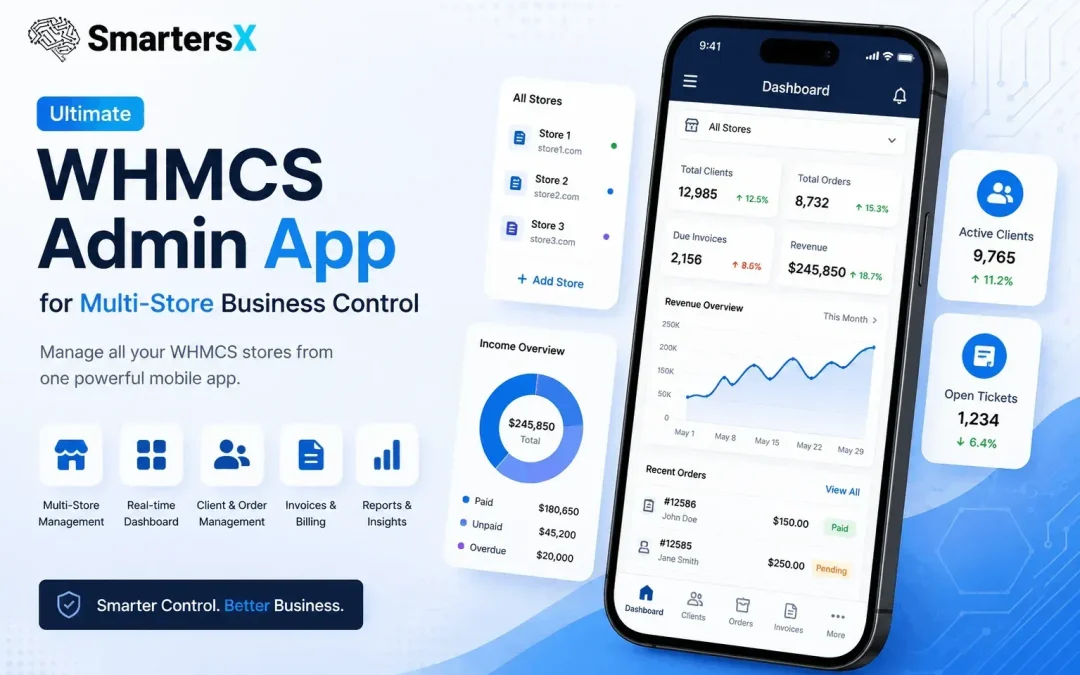
Managing one WHMCS store is already demanding. Managing multiple stores across different brands, services, or regions can quickly become complex. Administrators often switch between dashboards, monitor invoices manually, respond to support tickets, and track performance using separate tools.
As hosting businesses, SaaS companies, IPTV providers, and digital service brands expand, centralized management becomes less of a convenience and more of a necessity.
That is where a dedicated WHMCS admin app changes the workflow.
What Is a WHMCS Admin’s App?
A WHMCS admin app is a mobile or web-based management solution that connects with WHMCS and allows administrators to monitor and control business operations remotely.
Instead of opening multiple browser tabs or logging into separate installations, admins can access key business data from a single interface.
Typical functions include:
- Monitoring invoices and transactions
- Viewing customer activity
- Managing support tickets
- Tracking orders and sales
- Receiving business notifications
- Managing multiple WHMCS stores
Modern admin apps are designed to reduce response times and improve visibility across operations.
According to WHMCS documentation, administrators can already assign different roles and permissions inside the platform, making centralized management especially valuable for growing teams.
Why Multi-Store Businesses Need Centralized Control
Many digital businesses no longer operate from one storefront.Examples include:
- Hosting companies serving multiple countries
- SaaS businesses with separate billing environments
- Agencies managing client WHMCS installations
- IPTV and OTT providers operating different brands
The challenge appears when data becomes fragmented.Without centralized visibility, teams often face:
- Delayed customer responses
- Missed payment alerts
- Duplicate admin work
- Slow reporting cycles
- Increased operational overhead
A unified admin experience helps reduce these bottlenecks.
The Shift from Desktop-Only Management to Mobile Operations
Traditional WHMCS management has mostly been desktop-first.That approach works—but only to a point.Today’s administrators expect:
Real-Time Notifications
Immediate alerts for:
- New orders
- Client registrations
- Ticket submissions
- Invoice generation
- Payment confirmations
Real-time monitoring reduces reaction time and supports faster decision-making.
Anywhere Access
Teams are increasingly distributed across locations and time zones.
Mobile-first management allows administrators to:
- Approve actions remotely
- Monitor business health while traveling
- Respond to urgent customer issues faster
How SmartersX Supports Multi-Store WHMCS Management
SmartersX is designed specifically to simplify WHMCS administration through centralized mobile management. The platform allows administrators to connect and manage multiple WHMCS stores from one application interface.
Key capabilities include:
Unified Multi-Store Dashboard
Instead of switching accounts repeatedly, administrators can view multiple stores in one place.
This improves:
- Operational efficiency
- Visibility across brands
- Faster reporting workflows
Business Performance Monitoring
SmartersX provides access to business insights such as:
- Daily sales
- Monthly performance
- Yearly trends
- Billing summaries
The app also includes transaction and invoice visibility for faster operational reviews.
Customer and Ticket Management
Customer support often determines retention.
With centralized access to users, invoices, services, and tickets, teams can reduce delays and improve communication workflows.
Comparing Different Multi-Store Management Approaches
Option 1: Separate Browser Sessions
Pros
- No additional setup
- Uses native WHMCS interface
Cons
- Time-consuming
- Hard to scale
- Limited mobility
Option 2: Internal Dashboards and Reporting Tools
Pros
- Custom reporting
- Flexible integrations
Cons
- Higher development cost
- Ongoing maintenance
Option 3: Dedicated WHMCS Admin Apps
Pros
- Faster access
- Mobile management
- Centralized visibility
- Notifications and monitoring
Cons
- Requires setup and integration planning
For growing businesses, admin apps often provide a better balance between usability and operational control.
Real-World Use Case: Scaling Without Adding Complexity
Imagine a hosting business running three WHMCS environments:
- Domestic clients
- International customers
- Reseller operations
Without centralized control, the admin team manages three reporting systems, three ticket queues, and multiple invoice pipelines.
With a multi-store admin app, operations become consolidated into one workflow—making scaling easier without expanding administrative effort.
Final Thoughts
Managing multiple WHMCS stores should not mean multiplying complexity.Businesses today need faster access to information, better visibility, and tools that support mobile operations with SmartersX. A modern WHMCS admin app can help create that layer of control without changing the underlying business infrastructure.
For teams looking to streamline monitoring, improve responsiveness, and simplify multi-store management, centralized administration is becoming an increasingly practical approach—not just an upgrade, but a long-term operational advantage.