
It's 9pm, you're at dinner with your family, and your phone buzzes. Not a text. Not a call. Just that little itch in the back of your head asking whether the invoice from that big client actually went through today. You could pull out your laptop right there at the table (please don't), or you could just... not know. Most WHMCS owners end up living somewhere between those two bad options, more often than they'd like to admit.
If you're running a hosting company or a domain reselling business on WHMCS, this probably sounds familiar. WHMCS handles the important stuff — billing, tickets, client accounts — but it was built to live on a desktop. Not on you, in your pocket, at a dinner table. That mismatch is exactly what an app like SmartersX is trying to fix.
Why WHMCS Owners Struggle to Stay On Top of Things
WHMCS (Web Host Manager Complete Solution) is basically the engine room for a huge number of hosting and web service businesses. Every invoice, every client, every open support ticket runs through it. Which is great, until you're away from a computer and something needs your attention.
The admin panel wasn't really designed with phones in mind. Try opening it on your mobile browser sometime and you'll see what I mean — tiny text, menus that were clearly meant for a mouse, and no way to know something's happened unless you go looking for it yourself. There's no tap on the shoulder. You have to walk over and check.
That's fine if you're at your desk all day. Most owners aren't. And the cost of not knowing adds up faster than people expect. A ticket that sits unanswered for half a day because you were traveling doesn't just annoy one customer — it chips away at whether they trust you to be reliable. A payment failure you don't catch until the next morning can mess with cash flow you were counting on. Small delays, but they stack up.
What SmartersX Actually Is
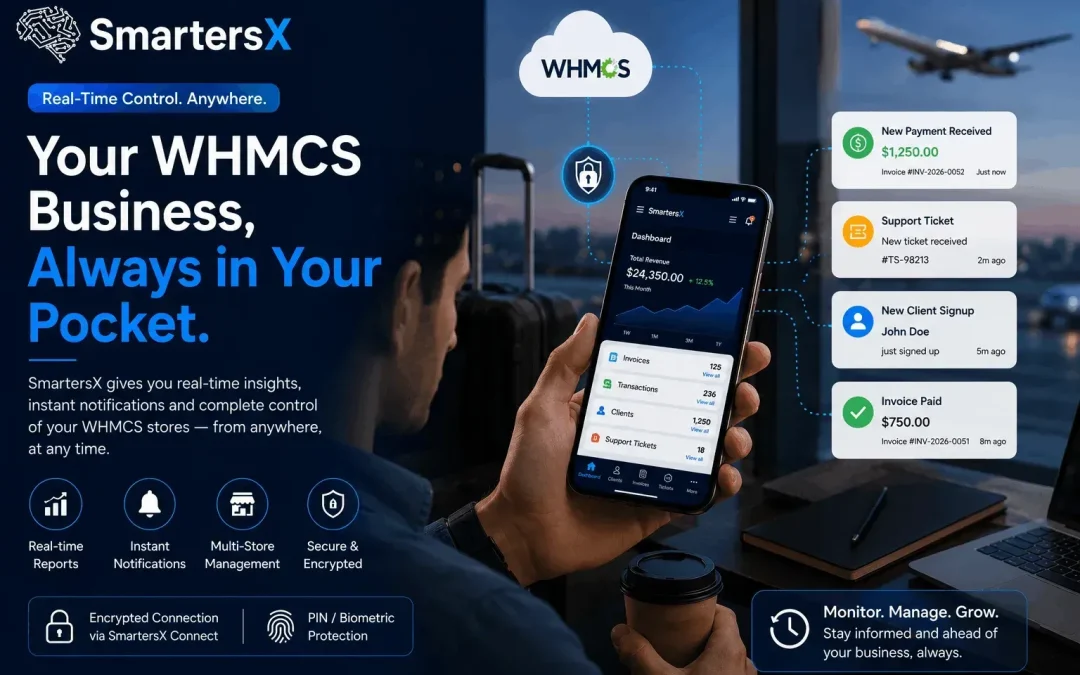
SmartersX is a mobile Business Management app that connects to your WHMCS installation and gives you a real-time window into what's happening, without needing to log into the full admin panel every time. It's not trying to replace WHMCS think of it more like a smart assistant that watches your store and pings you when something needs eyes on it.
What You Get With It
- Sales numbers you can check daily, monthly, or yearly, right from your phone
- Push notifications the moment something happens — a new signup, an invoice, a payment, a support ticket
- A single place to see users, invoices, transactions, and tickets, even across more than one WHMCS store
- An encrypted connection through a companion module called SmartersX Connect, instead of your admin credentials just sitting in an app somewhere
- PIN or biometric lock on top of that, because a phone full of business data deserves more than nothing
Nothing revolutionary here, honestly. It's the kind of thing that sounds almost obvious once you see it — which is usually a sign it should've existed sooner.
Setting It Up
You don't need to be technical for this part. It goes roughly like this:
- Install the SmartersX Connect module in your WHMCS admin area
- Generate a QR code (or a manual pairing code, if you'd rather type it)
- Download SmartersX from the App Store or Google Play
- Scan the code to link the app to your store
- Turn on biometric or PIN protection
- You're done — notifications start coming through from there
Most of that takes less time than making a coffee. And because the app pairs through an encrypted connection rather than storing your raw admin password, it behaves a lot more like a banking app than a typical WHMCS plugin.
Is an App Really Better Than Just Using Your Browser?
Worth asking honestly, because there are a few ways people try to solve this problem, and an app isn't automatically the right answer for everyone.
Using your phone's browser costs nothing extra and needs no setup — you already have the login. But the interface just wasn't made for a small screen, so anything beyond a quick glance turns into a frustrating zoom-and-scroll exercise. And there's no notification system at all. You only find out about something if you remember to go check, which defeats a lot of the purpose.
Remote desktop or VPN into your office computer gives you everything, exactly as it looks when you're sitting at your desk. But it's heavy — slow to load, data-hungry, and basically unusable on a weak connection. Firing up a full remote session just to check if one invoice cleared is a bit like starting your car to grab something out of the glovebox.
A dedicated app like SmartersX is built around the specific, small things you actually need to check on the go — did that payment land, is there a new ticket, how's this month tracking. It skips the full dashboard entirely. The tradeoff is that it's not meant for deep configuration work; for that, you're still going back to a desktop eventually. And it only stays useful if the connected module keeps pace with your WHMCS version, so it's not a total "set and forget" situation.
None of these is objectively wrong. It really comes down to what you're trying to do in the moment — a five-second check or actual admin work.
Who This Actually Helps
Solo hosting business owners tend to get the most out of something like this, mainly because they're already doing five jobs at once and can't afford to be the last to know about a missed payment. Agencies running multiple WHMCS installs for different clients benefit too, since checking five separate logins throughout the day gets old fast. And honestly, anyone who travels a lot for work will feel the difference — which describes a lot of hosting businesses, especially the smaller, owner-run ones without a dedicated admin sitting at a desk around the clock.
One Honest Caveat
An app can't fix a business process that's already broken. If your WHMCS setup has outdated modules, a messy ticket workflow, or invoicing that's inconsistent to begin with, SmartersX is just going to make you aware of those problems faster — it won't fix them for you. That part still happens inside WHMCS itself, the old-fashioned way. Worth knowing going in, so you're not expecting magic.
FAQs
Is SmartersX free to use?
Yes. It's a free download on the App Store and Google Play, and it connects to your existing WHMCS installation through the SmartersX Connect module.
Does the app store my WHMCS admin password?
No — it pairs through an encrypted QR-code connection rather than holding onto raw login credentials, and you can add PIN or biometric protection on top.
Can I connect to more than one WHMCS store?
Yes, and it's actually one of the more useful parts of the app if you're managing multiple brands or client accounts.
Does SmartersX replace the WHMCS admin panel?
Not really, no. It's meant for quick checks and staying informed. For deeper configuration or admin work, you'll still need the full desktop panel.
What devices is it available on?
iOS 12.0 and later, and Android.
The Bottom Line
Your business doesn't stop moving just because you stepped away from your desk, and honestly, it shouldn't have to. SmartersX isn't reinventing WHMCS it's just making sure you're not the last person to find out what's happening in your own store. If you're currently relying on squinting at a mobile browser, or just hoping nothing important slips through while you're out, it might be worth the ten minutes it takes to set this up. You can find it at Smartersx App.